Chemicals
How to create New Chemicals
Path: Login -> Dashboard -> Data Management -> Chemicals -> Add New Chemical
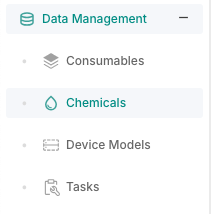
- From the dashboard look at the sidebar on the left and click on "Data Management -> Chemicals
- You will be redirected to the Chemicals Table.
- At the top-right corner, click on the Add New Chemical button.
- A pop-up windw will appear, fill in the details and press Save.